Hela: of Mice & Magic Co-op & Shade System
Solo copies, couch split-screen, and four-player online parties explained for Hela: of Mice & Magic.
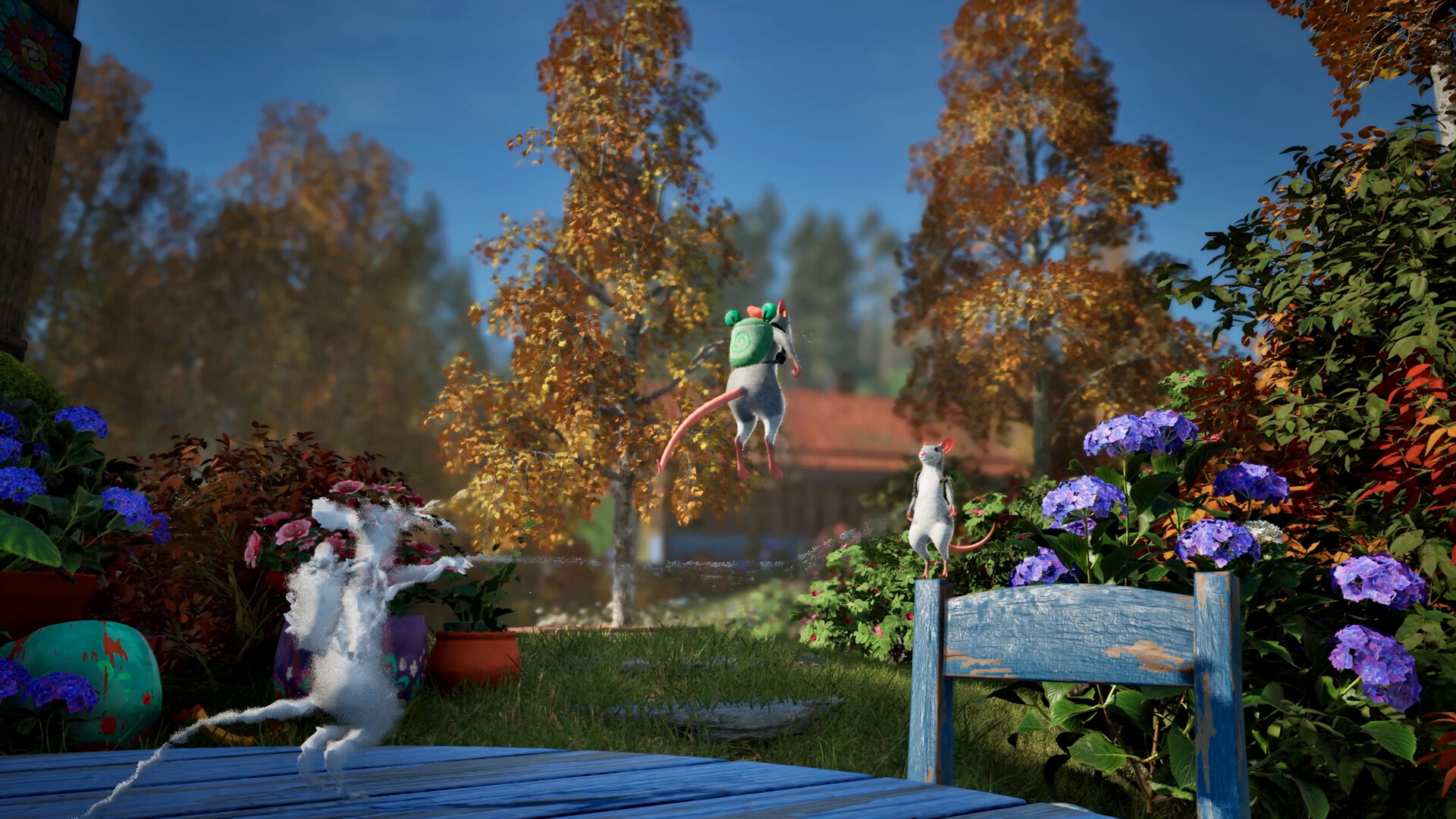
Hela: of Mice & Magic treats co-op as the default language of its world and still refuses to punish anyone who shows up alone. Windup’s Shade System, local two-player split-screen, and online four-player sessions with launch-day cross-play all feed the same open-world story about restoring a witch’s fading magic across Swedish-inspired forests, lakes, and meadows. This guide is the practical reference: how to create and clear Shades, how couch and online lobbies combine, what Epic Online Services means on PC, and how drop-in/out plus teleport tools keep a messy friend group together.
For a dedicated Shade craft page (lasso bridges, catapults, glide extension, four-plate door), open the Shade System deep dive. For first-hour basics outside multiplayer, see Getting Started. For the free Ansjön demo path, use the Demo Walkthrough. Platform, Harmony Edition, and Game Pass timing live on Release Date and Harmony Edition. Return to the Players Hub for the short mode overview.
Solo play and the Shade System
Shades are spectral copies of your mouse. They are not AI partners that wander off and invent plans. When you create a Shade, it continues the exact action you were performing at that moment—standing on a plate, holding a rope, bracing an object with the lasso, forming a trampoline shape, or even continuing a mid-air glide. You can switch control between your main mouse and existing Shades, which turns multi-step puzzles into self-choreographed teamwork. Shades fill the gaps whenever your human count is below four, so solo players and small parties still complete every campaign puzzle.
Core PC inputs (demo-confirmed)
| Action | Typical PC input | Notes |
|---|---|---|
| Create Shade | Hold Q | Leaves a copy that keeps your current action |
| Switch Shade | Tap the switch control (demo: press once / bumper wheel on pad) | Cycle or pick a specific copy |
| Clear Shades | Hold Z | Removes copies so you can reset a puzzle |
| Soft limit | Max 3 Shades in solo | Fourth “slot” is you |
Controller layouts differ by platform, but the rules stay the same: create while performing the useful action, park copies where the puzzle needs bodies, and clear when a setup fails. On pads, Windup documented a bumper wheel so you can jump to a specific Shade instead of only cycling in order.
High-value Shade uses
- Pressure plates and doors. The Frog Teacher cave door in the demo needs four mice. Solo: stand on a plate, hold Q, repeat on two more plates, then stand on the fourth yourself. Two humans: each takes a plate and adds two Shades.
- Rope anchors and bridges. Leave a Shade high or across a gap, then lasso between copies (or between you and a copy) to walk or bounce across.
- Object control. Have a Shade hold a paint can, beam, or awkward prop while you reposition and pull from a better angle.
- Catapults and co-op tools. Pull the rope, create a Shade to keep it held, then hop into the scoop yourself.
- Glide extension. Inflate Froggy, create a Shade mid-glide, lasso onto the moving copy, and ride the extra distance.
- Checkpoints. Park a Shade on safe ground before a risky swing. Fail the jump, switch back, and retry without a full restart.
When two humans play, you may create fewer Shades because the party already occupies more of the four-character budget. A four-player online group usually needs none for “body count” puzzles, though creative players still drop copies for checkpoints and awkward holds. Expand examples and practice drills on the Shade System page.
Local two-player split-screen
Local co-op supports two players on one device, each with a dedicated view of their own mouse. It is available in the free PC demo and in the full game launching December 1, 2026. Split-screen is ideal for families and same-room friends: one person can scout while the other steadies a rope, or both can experiment with physics props without voice-chat delay.
Hardware note for PC hosts: Steam’s minimum specs call out split-screen at Low / 1080p / 30 fps, and recommended specs target High / 1440p / 30 fps in split-screen (versus 40 fps solo). Check System Requirements before promising silky dual views on older GPUs.
Steam Remote Play Together can also share a local session remotely when only one person owns a PC copy, which is handy for demo nights. It is not a substitute for the full game’s native online four-player stack, but it extends couch habits across houses.
Online four-player co-op and cross-play
The full game supports up to four human players online, and the entire campaign—story beats, exploration, brewing trips, and puzzles—is playable together from start to finish. Nothing is reserved as “solo only.” Knights Peak and Windup confirmed cross-play at launch across all platforms: PC, PlayStation 5, Xbox Series X|S, and Nintendo Switch 2. A Game Pass Xbox install, a Steam PC build, a PS5 digital copy, and a Switch 2 Harmony Edition box can share one lobby on day one. Mixed hardware parties are first-class citizens, not a post-launch promise.
Cross-play checklist before friends arrive:
- Everyone updates to the launch build on their own storefront.
- Confirm online multiplayer entitlements (Xbox / PlayStation network requirements as usual).
- PC hosts finish Epic Online Services linking once (see below).
- Agree who hosts—often the steadiest connection or the copy others can join most easily.
- Remind the party that Shades still fill gaps if someone is late, drops, or never shows.
Mixing couch and online
Official FAQ examples match what most friend groups actually want:
- Two local players on one console or PC invite two online friends (four total).
- Two separate households each run two-player split-screen and meet online (still four total).
- Three or four players each join from their own location across different platforms.
Hard limits to remember: maximum two local players per device and maximum four humans in the session. A third person in the same room needs another device and an online join; four-way local split-screen is not offered. Within those caps, mixed local+online is fully supported—couch pairs are not locked out of cross-play nights.
Epic Online Services (EOS) on PC
Steam lists Epic Online Services for online multiplayer features, with Steam account linking supported. Expect a one-time EOS link/login flow the first time you use online tools. Do that before friends are waiting in voice chat. Console players follow their platform’s usual online permissions and subscriptions (for example, Xbox online multiplayer requires the appropriate Game Pass / multiplayer entitlement).
Drop-in / drop-out and teleporting to friends
Hela’s co-op extras include drop-in / drop-out, so a late friend can join a story already in progress and someone who needs to leave can exit without ending the adventure for everyone else. When the party spreads across a large Swedish meadow or forest ridge, use the session’s teleport to friends option to snap back together instead of spending ten minutes navigating toward each other. Combine that with Shade checkpoints: one player can stay on a ritual while others scout, then reunite instantly when a puzzle needs all paws.
Practical lobby etiquette:
- Agree who hosts (usually the person with the steadiest connection or the Game Pass / owned copy everyone can join).
- Finish EOS / platform linking before the scheduled start.
- Explain Shade etiquette once—do not clear another player’s carefully placed copies without warning.
- Use teleport after big vertical routes or when someone falls behind during glimmer collection.
- If a guest drops, leave Shades in their former roles so the remaining mice can continue the full campaign together.
Demo versus full game
| Feature | Free demo | Full game (Dec 1, 2026) |
|---|---|---|
| Solo + Shades | Yes | Yes |
| Local 2P split-screen | Yes | Yes |
| Online up to 4P | No | Yes |
| Cross-play (all platforms) | N/A in that build | Yes at launch |
| Mixed local + online | Local only in demo | Yes (2 local / 4 total) |
| Full story co-op | Demo slice | Entire campaign |
| Setting | Ansjön forest slice | Larger open world |
| Brewing & Remedies | Not included | Full progression system |
Use the demo to rehearse Shade plate puzzles, Froggy glides, and couch camera comfort. Carry those habits into December’s online nights.
Related pages
- Shade System deep dive — create / switch / clear craft, bridges, catapults, four-plate door
- Players Hub — mode overview and party planning
- Getting Started — controls and early objectives
- Demo Walkthrough — Ansjön rituals step by step
- Release Date & Platforms — Game Pass, storefronts, wishlist
- Harmony Edition — physical vs digital platform notes
- System Requirements — PC readiness for split-screen
Hela’s co-op fantasy is simple: bring whoever you have on any launch platform, mix couch and online within the caps, fill the gaps with Shades, and keep the witch’s world in tune together for the full story. Master hold-Q copies and clear-Z resets first; the online lobby tools exist to keep friendship logistics out of the way of the scenery.
Frequently Asked Questions
Quick answers for mice getting ready for December 1.
How do I create and remove Shades in Hela?
On PC, hold Q while performing an action to leave a Shade that keeps doing that action. Hold Z to clear your Shades. Solo players can maintain up to three Shades at once.
Can local split-screen players invite online friends?
Yes in the full game. Up to two players on one device can mix with online players for a maximum of four humans total, including cross-play parties.
Does online co-op use Epic Online Services?
On PC, Steam notes that online multiplayer features use Epic Online Services with Steam account linking. Complete the link before hosting or joining friends.
Is drop-in / drop-out supported?
Yes. Friends can join or leave an ongoing co-op session. Use teleport-to-friends when the party gets separated across the open world.
Do I need four people for every puzzle?
No. Shades fill missing roles. Solo players use up to three copies; two human players typically add two Shades to reach a four-character setup when a puzzle demands it.
What does the demo teach about co-op?
The Ansjön demo covers solo Shades and two-player local split-screen, including the four-plate Frog Teacher door. Online four-player play is reserved for the full December 1, 2026 release.
Which platforms support cross-play at launch?
All of them: PC, PlayStation 5, Xbox Series X|S, and Nintendo Switch 2. Mixed local+online parties can share the full campaign, and Shades fill any empty roles. See the Shade System page for copy techniques.